一个软件,把 Telegram 多号
和推广这件事管起来One app to manage
your Telegram accounts and outreach
多号登录托管、AI 帮你找群、写文案、外出聊天。下载软件,注册和充值都在软件里完成。Multi-account hosting, AI group finding, copywriting and chat. Download the app — sign-up and top-up happen inside it.
核心功能Core features
把重复的活交给软件,你只管看结果。Let the app handle the repetitive work.
多号登录与托管Multi-account hosting
多个 Telegram 号同时登录,每个号单独配代理,状态一屏看全。Log in many accounts at once, each with its own proxy, all visible on one screen.
AI 找群AI group finding
按关键词自动搜群,不断衍生新词,慢慢把群库做大。Searches by keyword and keeps expanding new ones to grow your group library.
AI 外出聊天 / 客服AI chat & support
选好性格和声音,AI 在群里自然接话,也能回复私信。Pick a persona and voice; AI joins conversations in groups and replies to DMs.
AI 设计文案AI copywriting
一句话需求生成广告文案,还能每条换个说法。Turn a one-line brief into ad copy, with a fresh wording each time.
搜搜资源库Search library
群、频道、机器人三类资源,中英文都有,带国旗,可按国家筛选。在 Telegram 里搜 @feigessbot 就能用。Groups, channels and bots in Chinese and English, with country flags and filters. Try @feigessbot on Telegram.
飞机遥控管家Remote butler
通过你自己的 Telegram 账号遥控软件,在外面也能看进度、下指令。Control the app from your own Telegram account and check progress on the go.
软件界面Inside the app
按软件左侧菜单逐项展示(演示数据)。Screens by sidebar menu, with demo data.
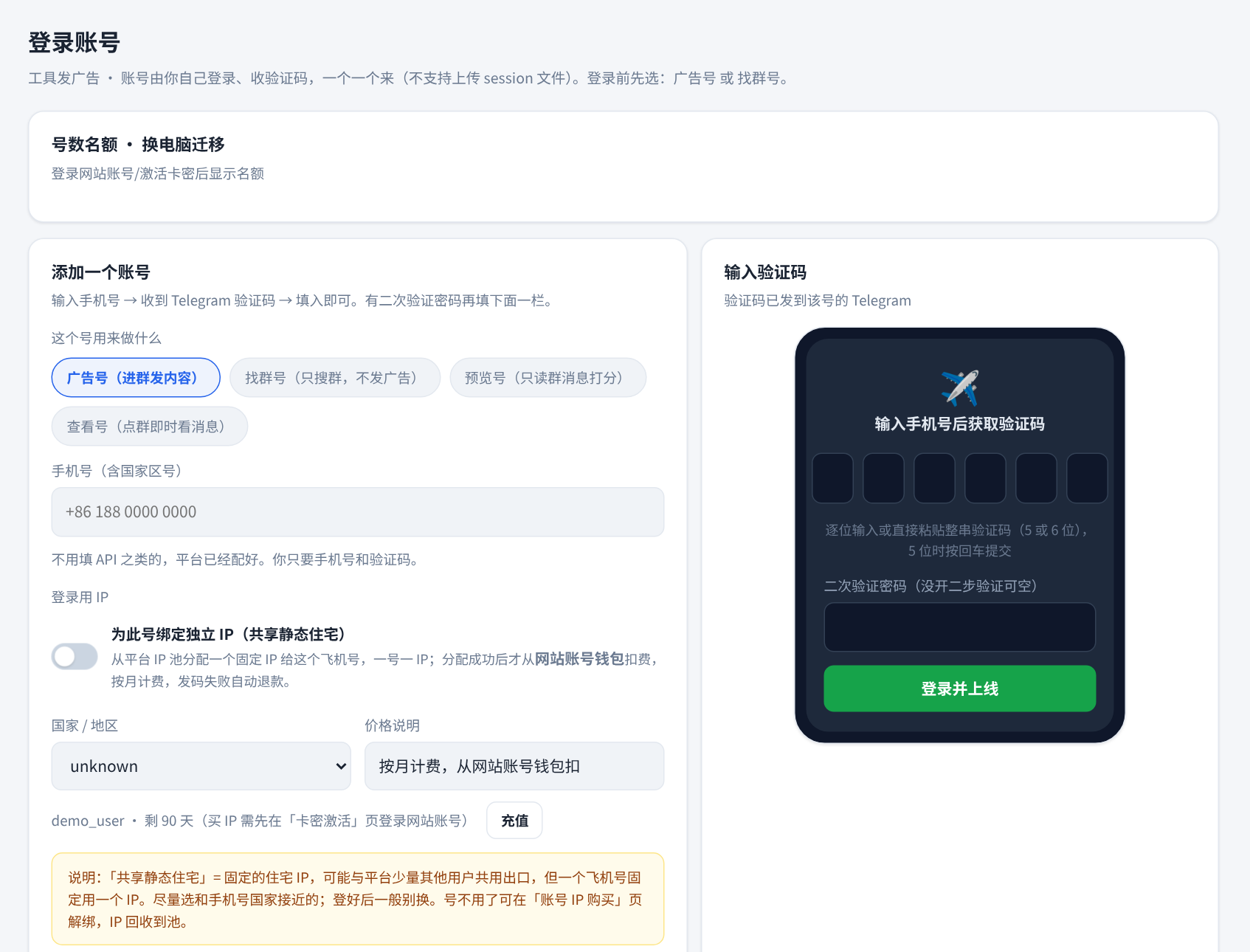
登录账号Log in accounts
输入手机号和验证码就能登录,可给每个号单独配代理,还能选「找群号 / 广告号 / 预览号 / 查看号」用途。登录信息只存在你自己的电脑上。Sign in with a phone number and code, give each account its own proxy and choose its role. Login data stays on your computer.
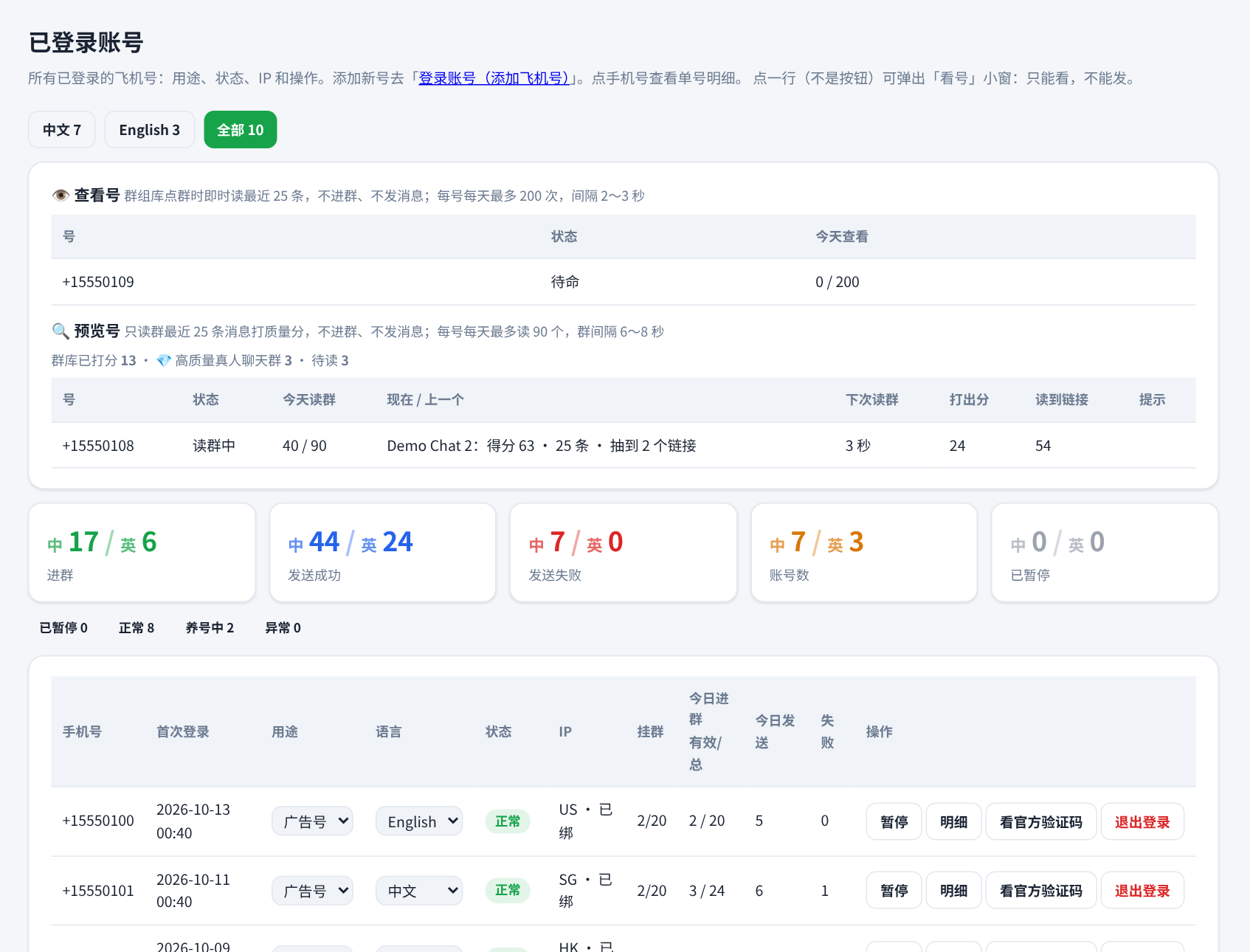
已登录账号Logged-in accounts
每个号的状态、IP、挂群数、今日进群和发送情况一目了然,可暂停、看明细;预览号、查看号有各自的读群进度。Status, IP, joined groups and daily activity for every account, with pause and detail views.
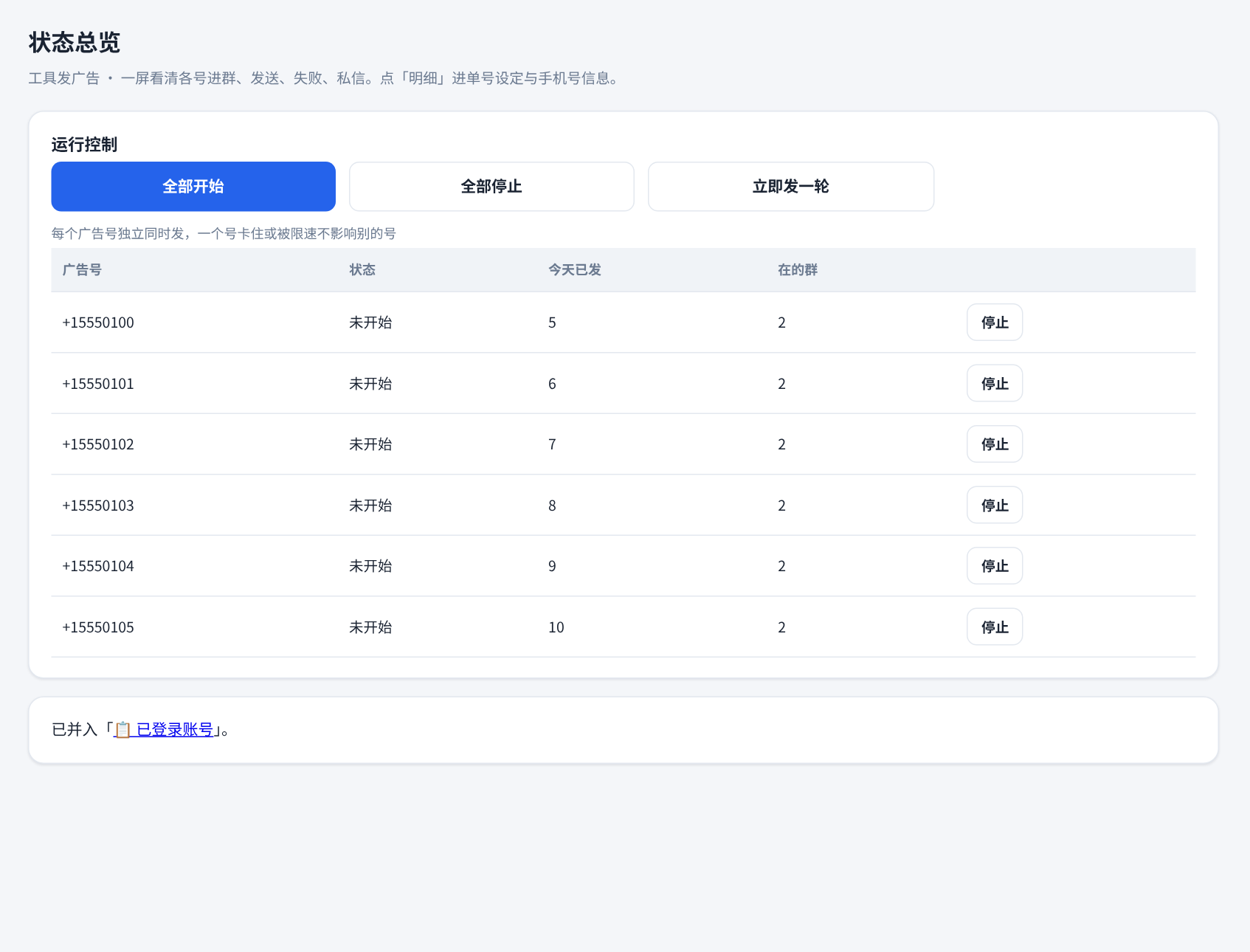
状态总览Status overview
整体运行状态一屏看全,需要时一键开始或停止。The whole run status on one screen, with one-click start and stop.
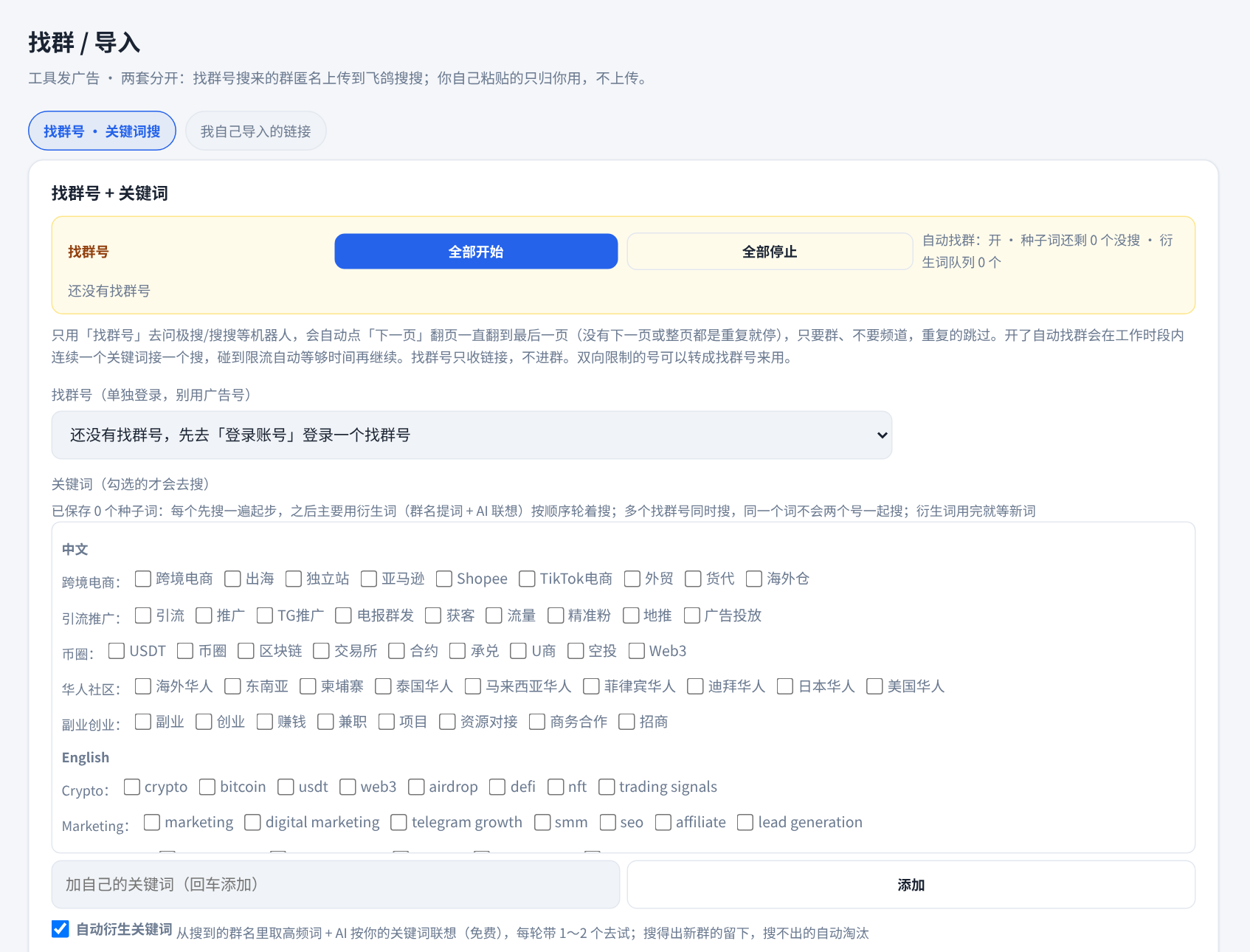
找群 / 导入Find / import
勾选关键词自动搜群,软件会不断衍生新词;也可以直接粘贴群链接导入。Pick keywords to search automatically; new keywords are derived over time. Or paste group links to import.
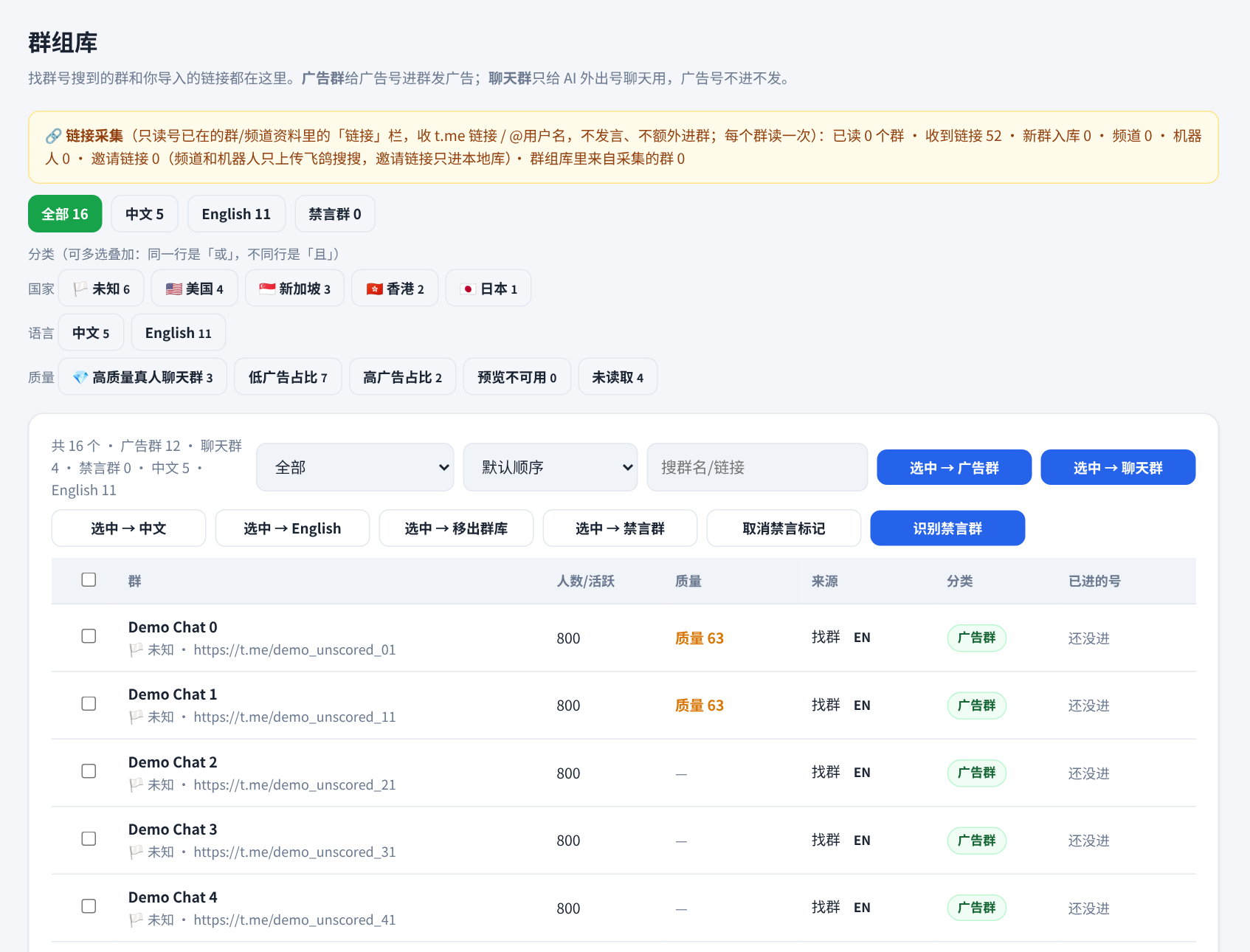
群组库Group library
找到的群都在这里:国旗和国家、质量分,顶部按钮可叠加筛选国家、语言和质量(高质量真人聊天群、高/低广告占比等)。Every group you find, with country flag and quality score. Stackable filters for country, language and quality.
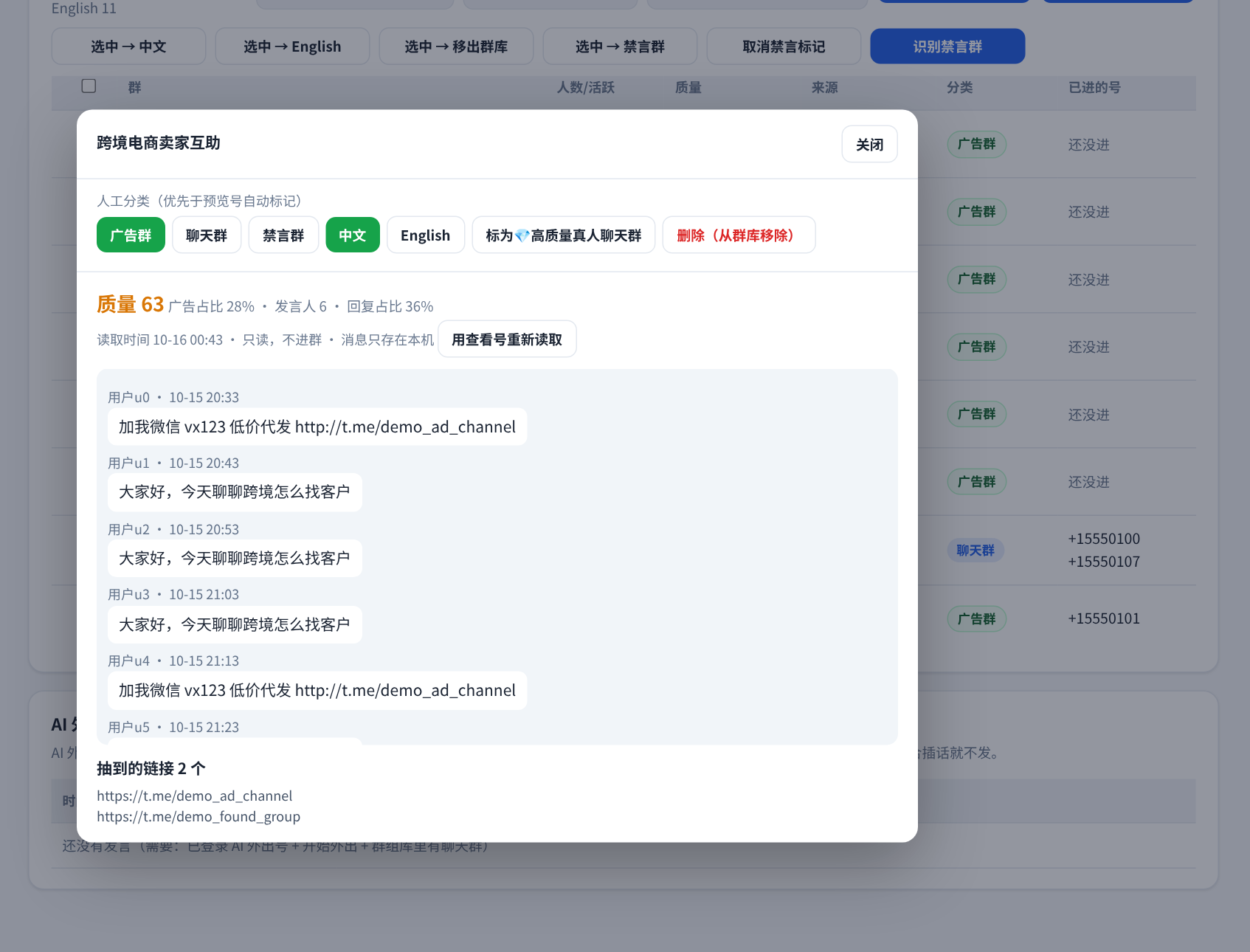
群消息预览 + 手动分类Message preview & manual labels
点开任意群,只读查看最近 25 条消息、质量分和抽到的链接;窗口里可手动标广告群、聊天群、高质量群,或移出群库。不进群、不发消息。Open any group to read its latest 25 messages, score and links (read-only). Label it or remove it right there. Never joins or posts.
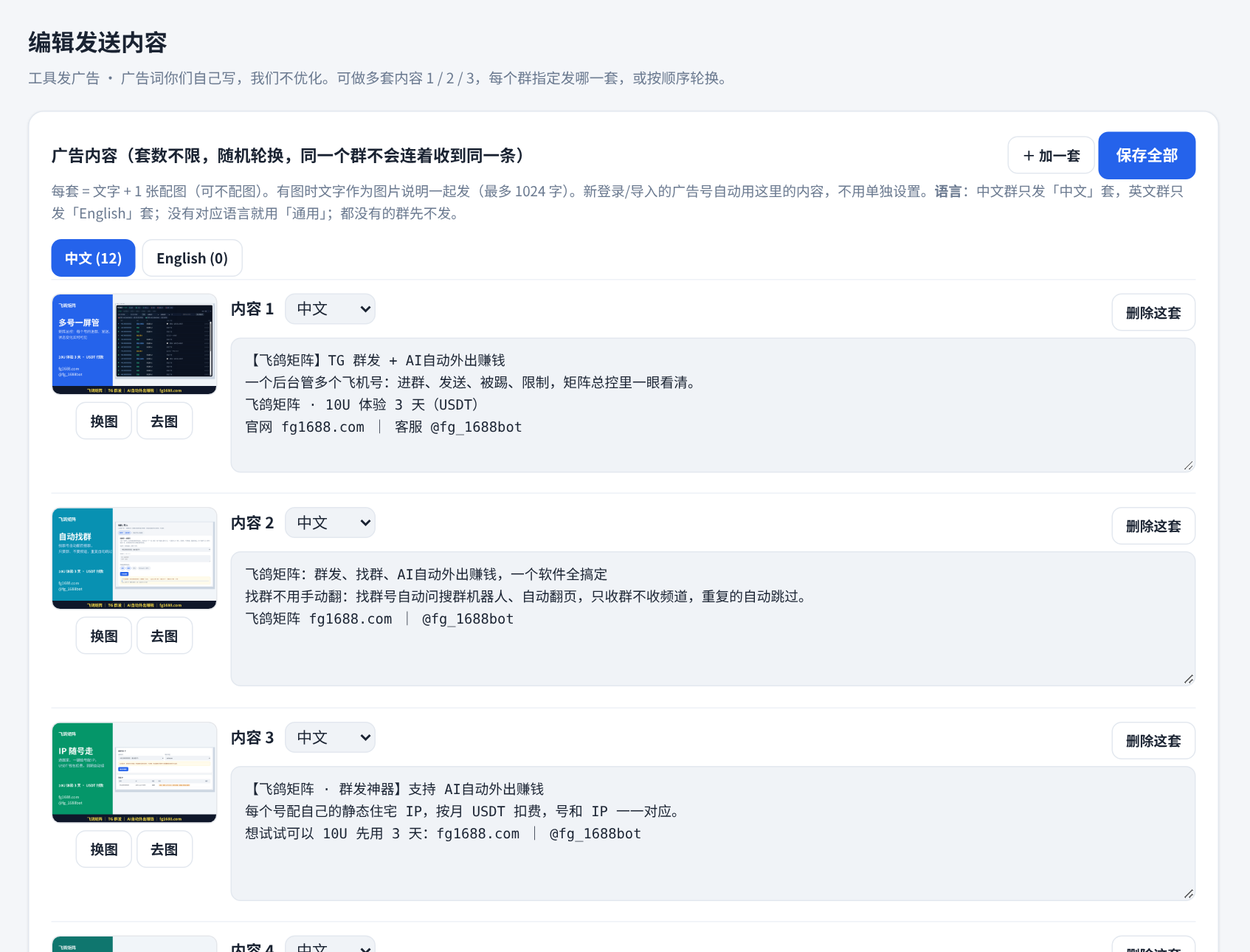
编辑发送内容Message content
写好多套发送文案和配图,中英文分开,按群语言自动选用。Write several message sets with images, in Chinese and English, picked by group language.
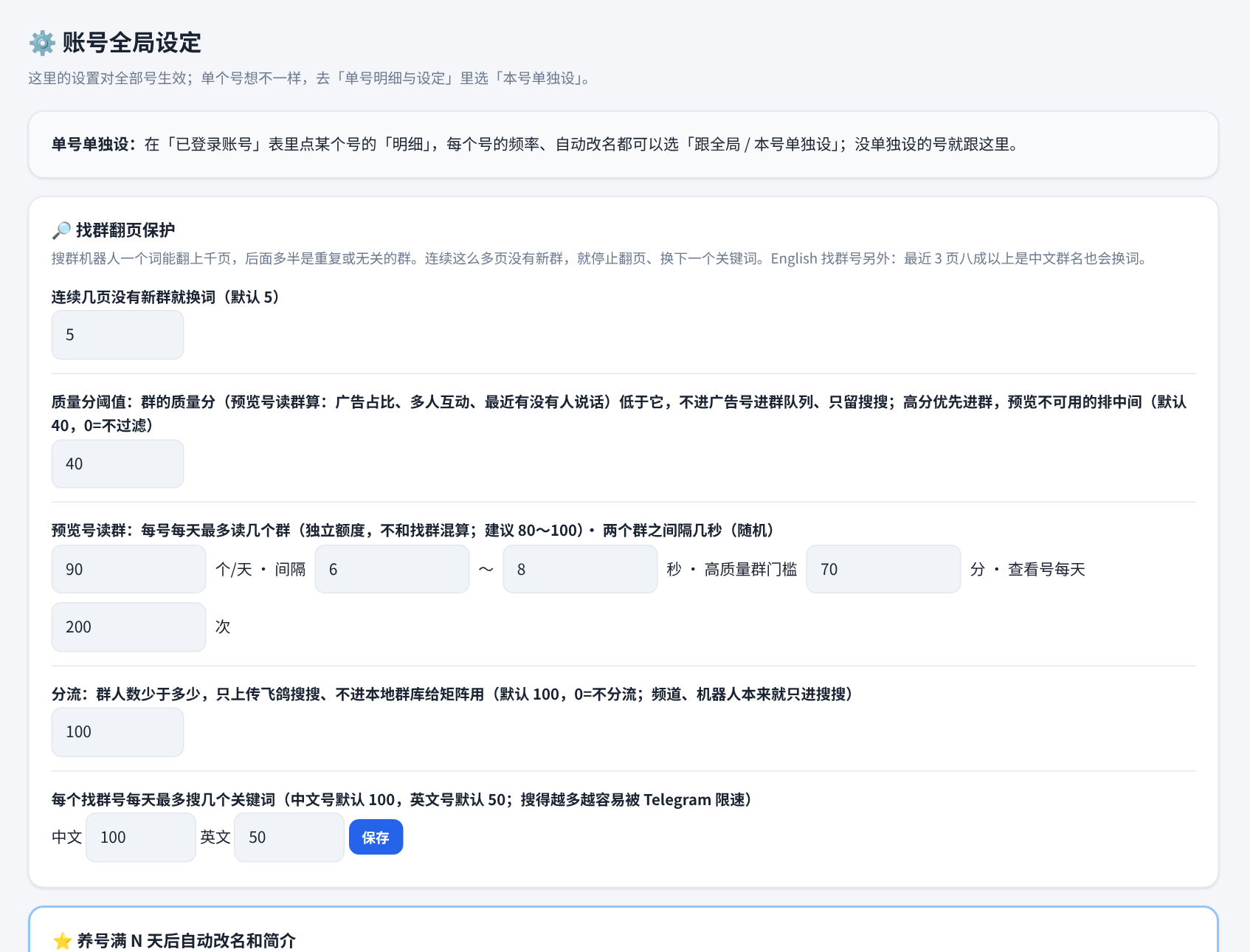
账号全局设定Global settings
新号默认配置、养号期、自动开工等统一在这里设。Defaults for new accounts, warm-up and auto-run in one place.
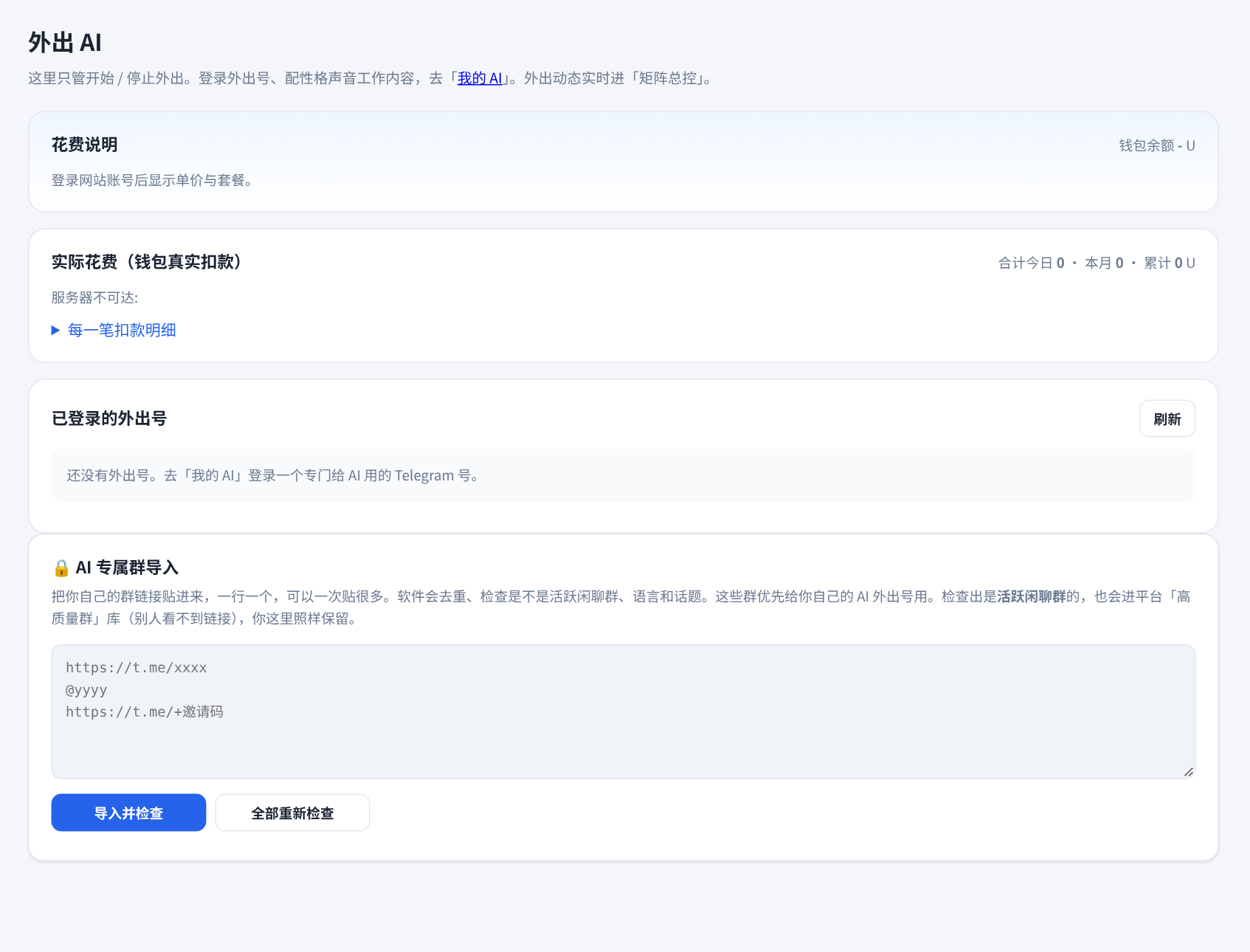
外出 AIOutbound AI
给每个号指派 AI,设好任务和方向,在聊天群里自然接话。Assign an AI to each account, set its mission and let it join chats naturally.
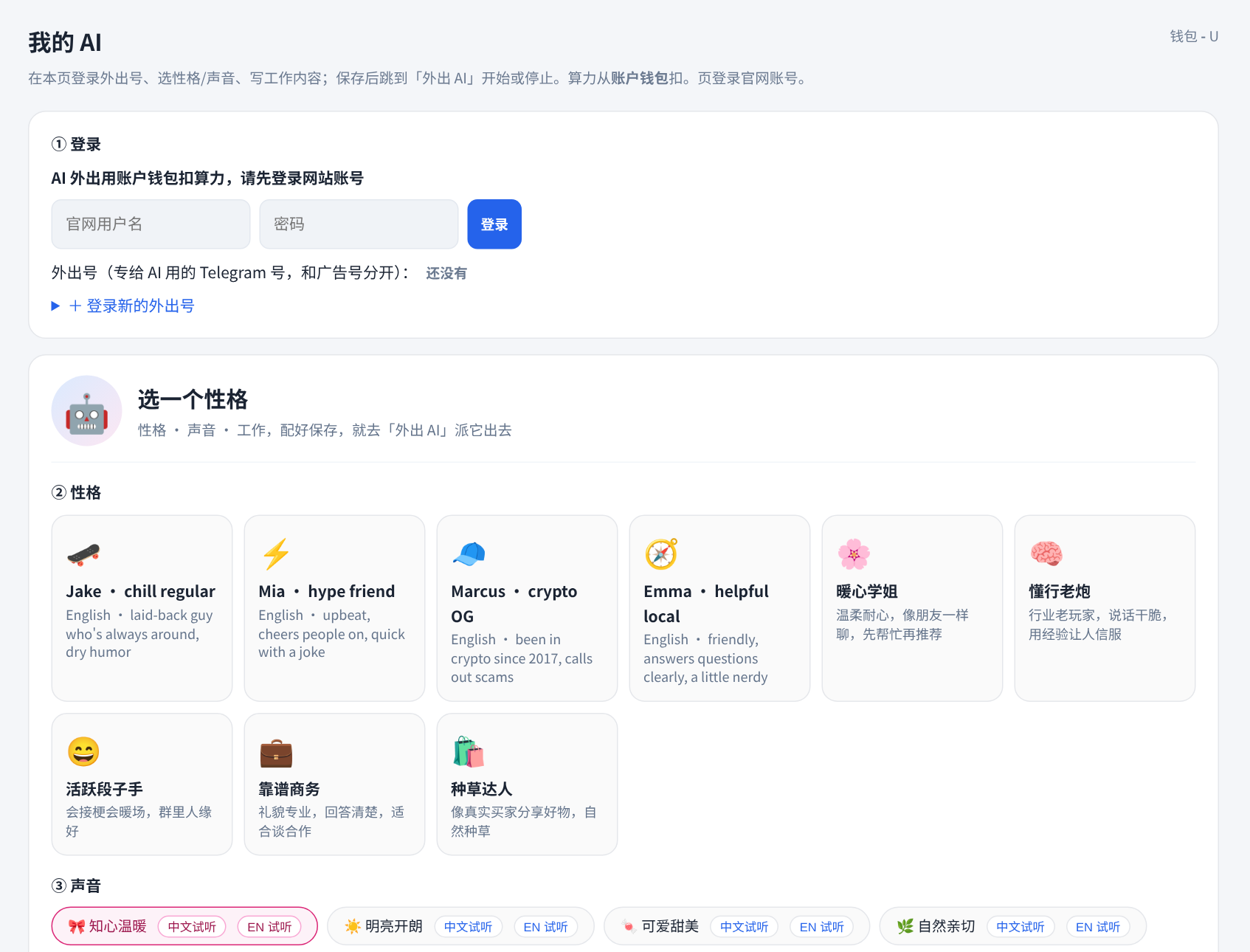
我的 AIMy AIs
选好性格和声音,创建属于你的 AI 角色。Pick a personality and voice to create your own AI personas.
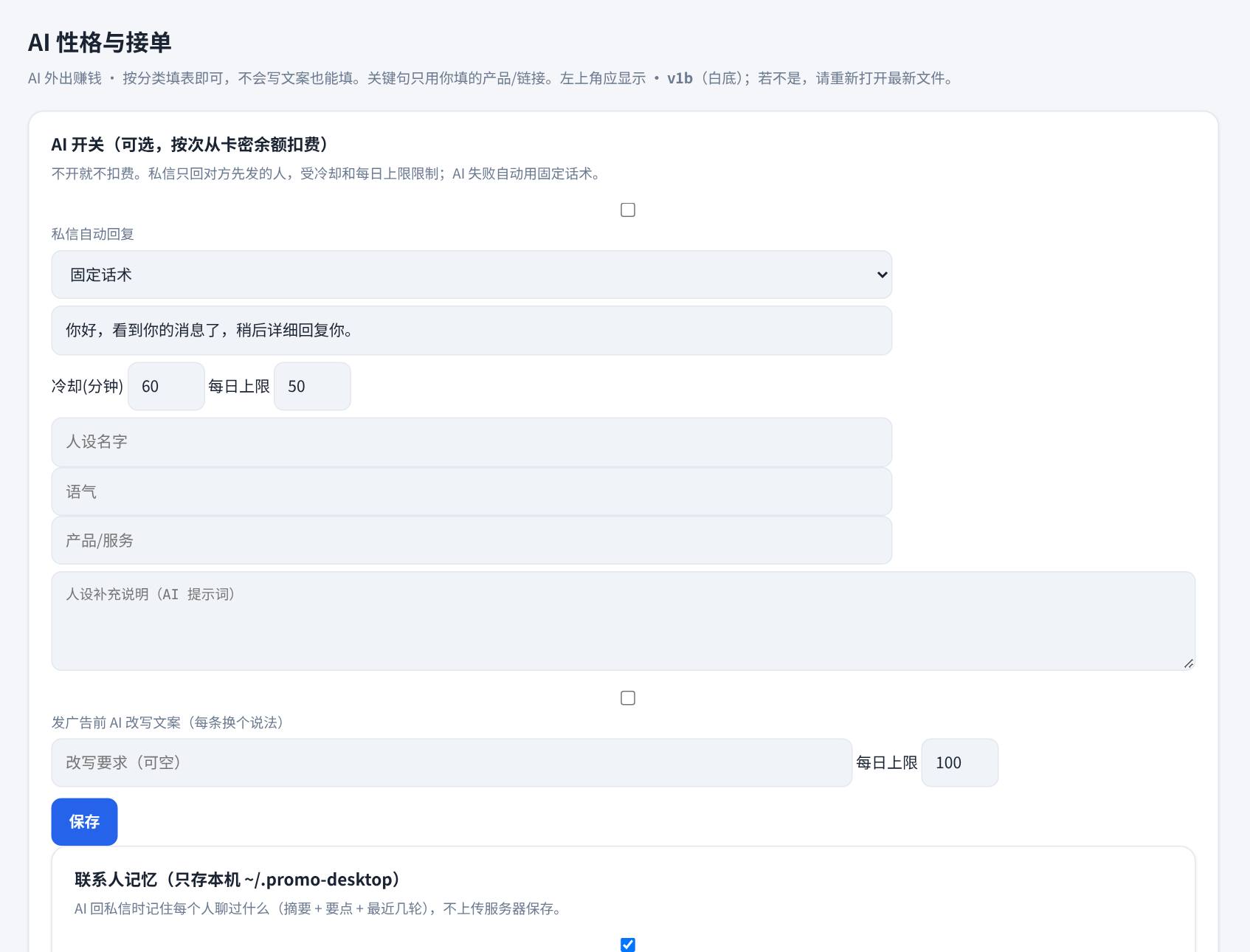
私信接单 / 客服DM replies & support
设好话术和每日上限,AI 帮你回复私信,需要时你随时接手。Set your wording and daily cap; AI answers DMs and you can step in any time.
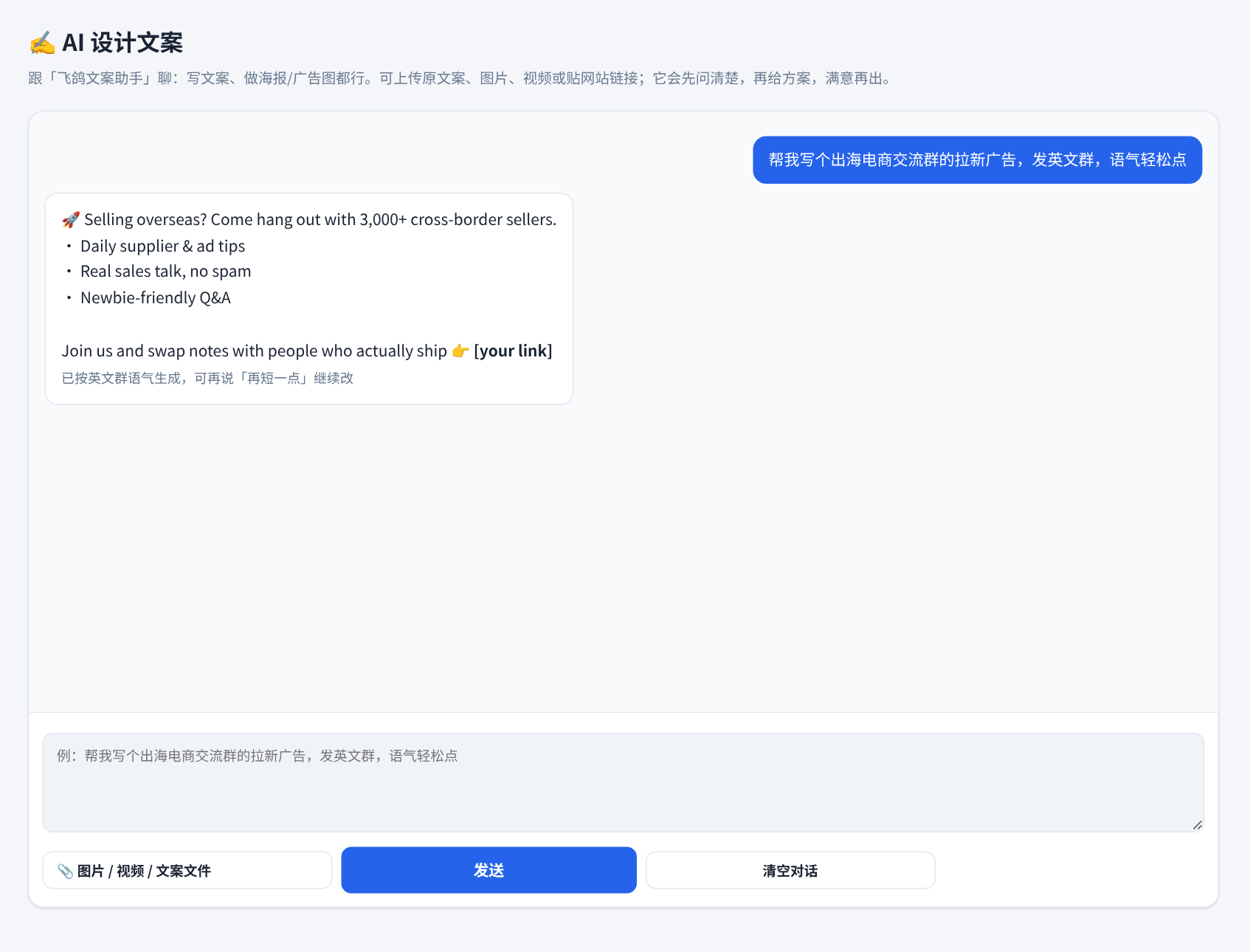
AI 设计文案AI copywriting
一句话说需求,AI 写出广告文案,不满意就接着说「再短一点」。Describe what you need in one line; ask for tweaks like “shorter”.
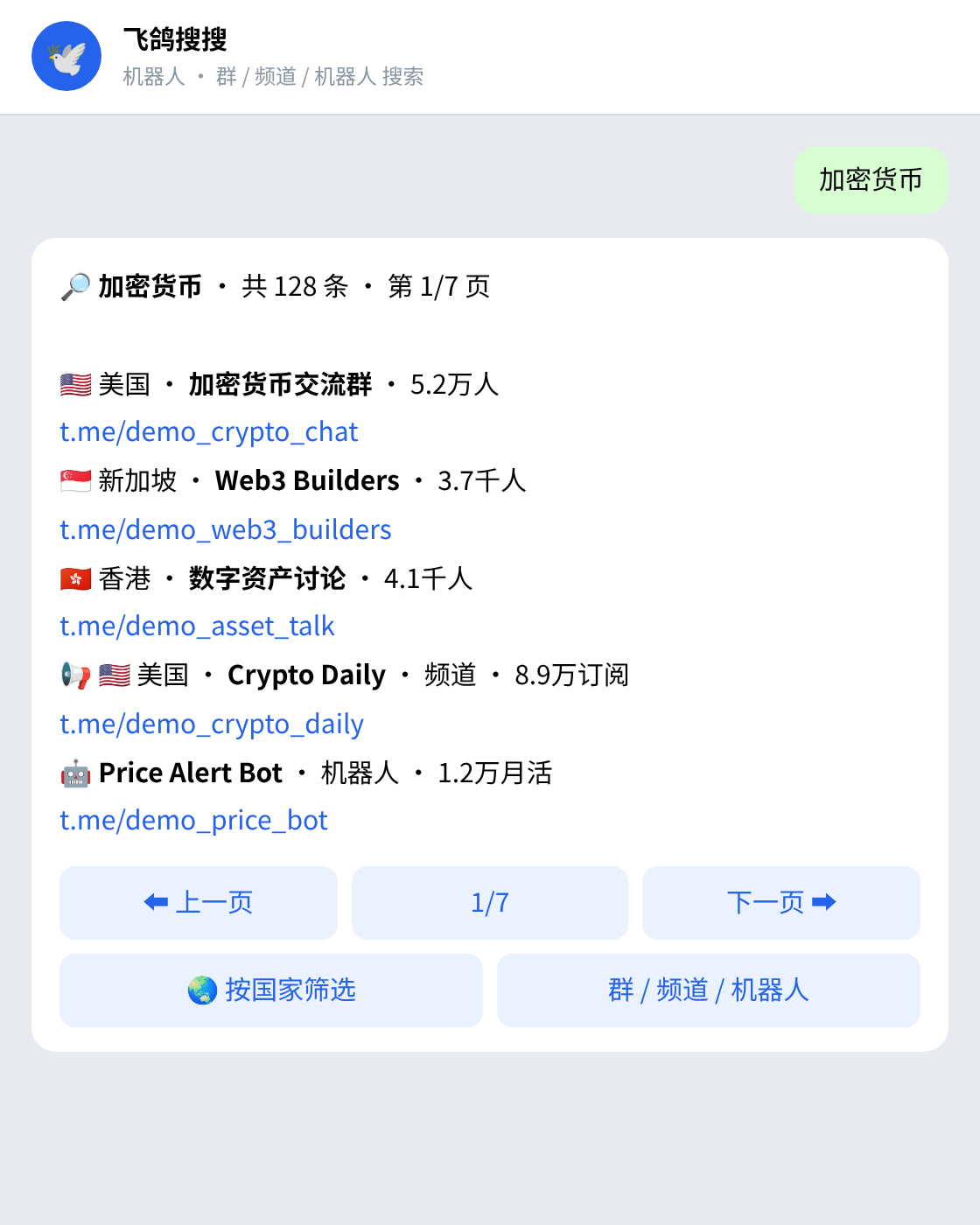
搜搜资源库Search library
在 Telegram 里搜 @feigessbot,群、频道、机器人都能搜,中英文都有,可按国家筛选。Search @feigessbot in Telegram for groups, channels and bots in Chinese and English, filtered by country.
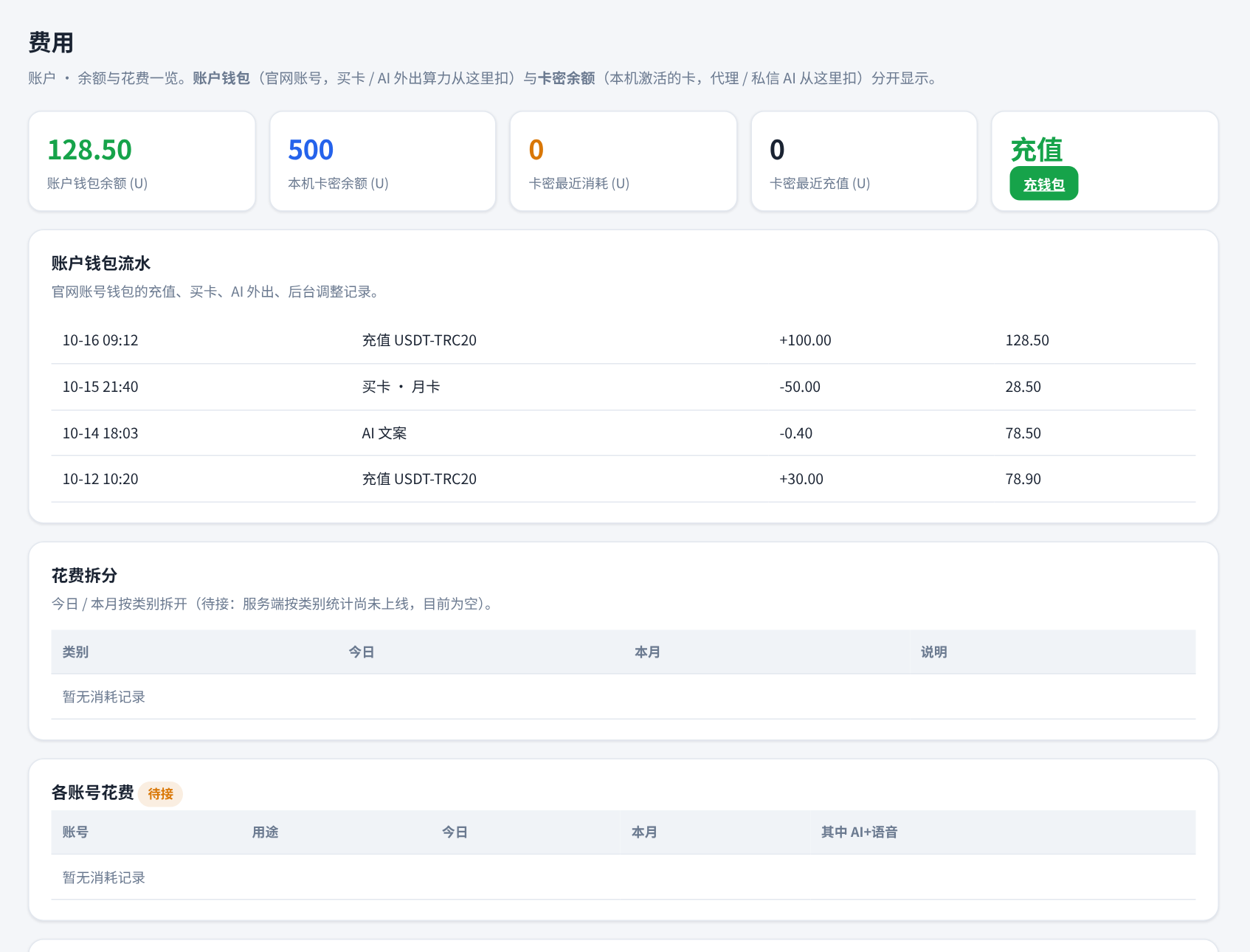
费用Billing
余额、流水、花费拆分都在软件里,清清楚楚。Balance, ledger and spend breakdown, all inside the app.
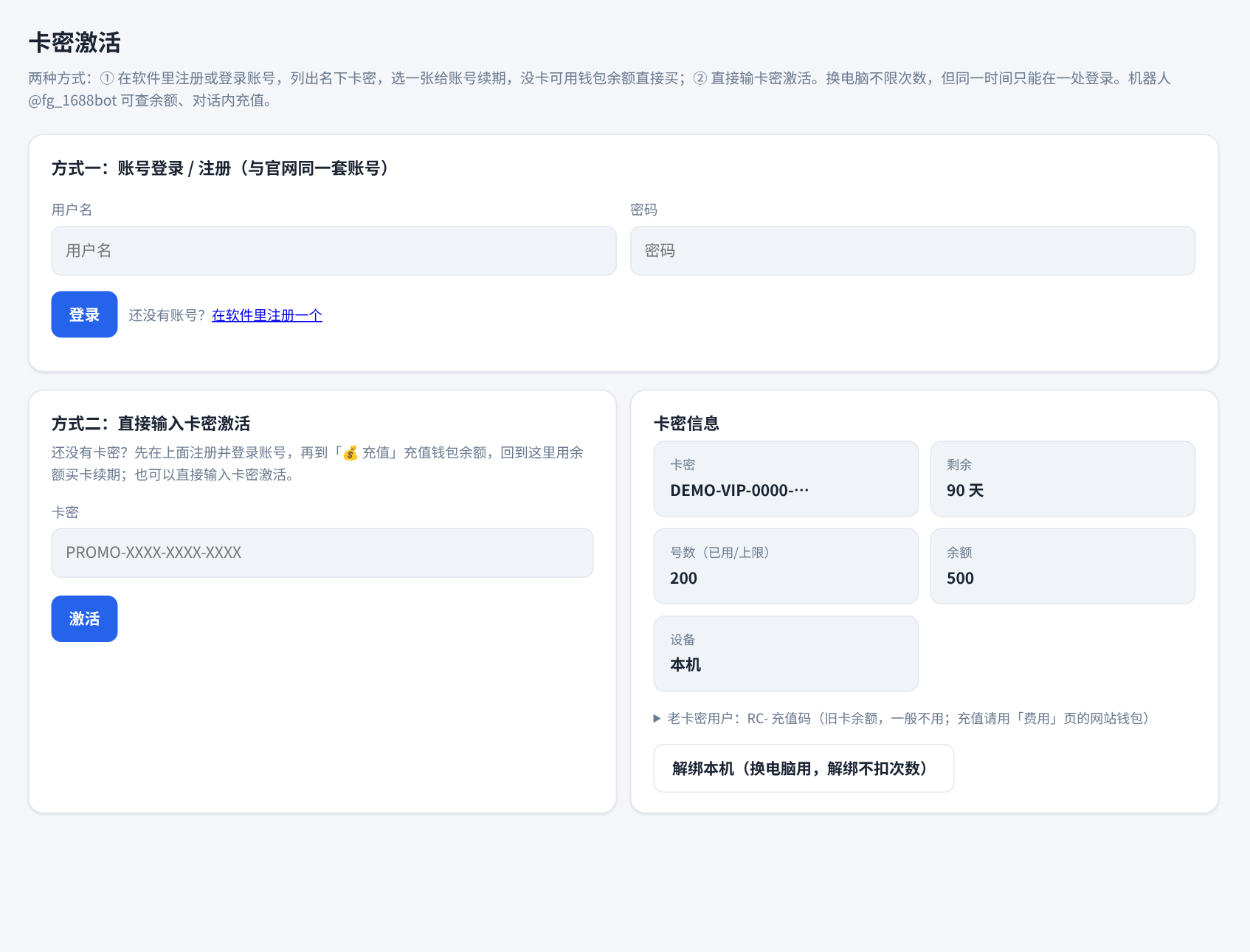
卡密激活 / 注册Activate & register
在软件里注册账号、激活卡密和续期,不用打开网站。Register, activate and renew inside the app — no website needed.
截图中的账号、群和链接均为演示数据。Accounts, groups and links shown are demo data.
三步上手Three steps
不用懂技术,照着做就行。No technical background needed.
下载并打开Download & open
下载压缩包,解压到固定文件夹,双击启动文件。Download the zip, extract it to a fixed folder and run the launcher.
在软件里注册和充值Register & top up in-app
在软件里创建账号、选套餐,用 USDT 付款。Create your account and choose a plan inside the app. Pay with USDT.
登录号,开始用Add accounts & go
登录 Telegram 号,选择要用的功能,软件按设置自动运行。Log in your Telegram accounts, pick the features you need, and let it run.
套餐价格Pricing
按时间计费,在软件里购买。Time-based plans, purchased inside the app.
三天免费试用3-day Free Trial
月卡Monthly
季卡Quarterly
年卡Yearly
下载软件后,在软件内注册和购买 · 以软件内显示的价格为准 · 支持 USDT(TRC20)· 每个套餐含号数上限,详见软件内说明Register and buy inside the app after downloading · prices shown in the app prevail · USDT (TRC20) · each plan has an account limit, see the app for details
常见问题FAQ
还有问题,到页面底部联系我们。Still have questions? Contact us at the bottom.
在哪里注册和充值?Where do I register and top up?
官网只提供介绍和下载。下载软件后,在软件里注册账号、选择套餐并充值。This site only offers info and downloads. Register, choose a plan and top up inside the app.
支持什么系统?Which systems are supported?
目前提供 Windows 10 / 11(64 位)。其他系统暂未提供。Windows 10 / 11 (64-bit) for now. Other systems are not available yet.
怎么付款?How do I pay?
使用 USDT(TRC20),在软件里下单后按提示付款。USDT (TRC20). Place an order in the app and follow the prompts.
一个账号能登录几个 Telegram 号?How many Telegram accounts can I log in?
以套餐的号数上限为准,在软件里能看到已登录数量和剩余位置。It depends on your plan's limit. The app shows how many are used and how many remain.
会不会被限制或封号?Can accounts get limited or banned?
是否被限制取决于 Telegram 的规则和你的使用方式。软件会放慢节奏、遇到限速就暂停,但无法保证任何结果,请合规、适度使用。That depends on Telegram's rules and how you use it. The app paces actions and pauses on rate limits, but no outcome can be guaranteed. Please use it responsibly.
软件和数据存在哪里?Where is my data stored?
账号登录信息保存在你自己的电脑上。Account login data stays on your own computer.
怎么更新?How do I update?
有新版本时,软件里会弹出更新提示,点一下即可。When a new version is out, the app shows an update prompt. One click to update.
下载飞鸽矩阵Download FeiGe Matrix
下载后在软件里注册和充值。Register and top up inside the app after downloading.
解压到固定文件夹,双击「启动飞鸽矩阵.bat」。若 Windows 提示保护,点「更多信息 → 仍要运行」。Extract to a fixed folder and run the launcher. If Windows shows a warning, click “More info → Run anyway”.